
 Blog Details


But all that is not enough. Enterprise companies require much more than just a list of customer names and contact information. They need a way to keep sales funnels organized, record customer interactions, automate routine processes, measure productivity, and support collaboration across teams and locations.
When selecting the best CRM software in Australia for enterprise, consider the capacity of a platform to automate complex workflows, integrate with other business and enterprise software, secure customer data, and scale with the organization. Some platforms are designed more specifically for large-scale sales automation; others are more comprehensive in tying together marketing, customer service, finance, and back-office operations.
What’s more, field-service companies need to link customer data to technicians, appointments, quotations, dispatch, and service delivery. Companies with Field Services may find it advantageous to use CRMs geared toward operational processes rather than a sales-oriented CRM.
Here are 10 CRM software options you should consider evaluating in Australia in 2026: Fieldy, Salesforce, Microsoft Dynamics 365, HubSpot CRM, Zoho CRM, SAP Sales Cloud, Oracle Sales, Pipedrive, Freshsales, and SugarCRM. This comparison details their pros and cons, core features, and the ideal business size or type of enterprise they are most appropriate for.
10 Best Enterprise CRM Platforms to Compare in Australia
The platforms listed below cater to the various needs of a business. Fieldy is ranked first for companies that require customer management integrated with a field-service platform. The other platforms serve many sales, marketing, analytics, and customer relationship management needs.
Check with the vendor that you know the product edition price, whether it is available in Australia, how well it integrates, and what it takes to implement it before buying.
1. Fieldy
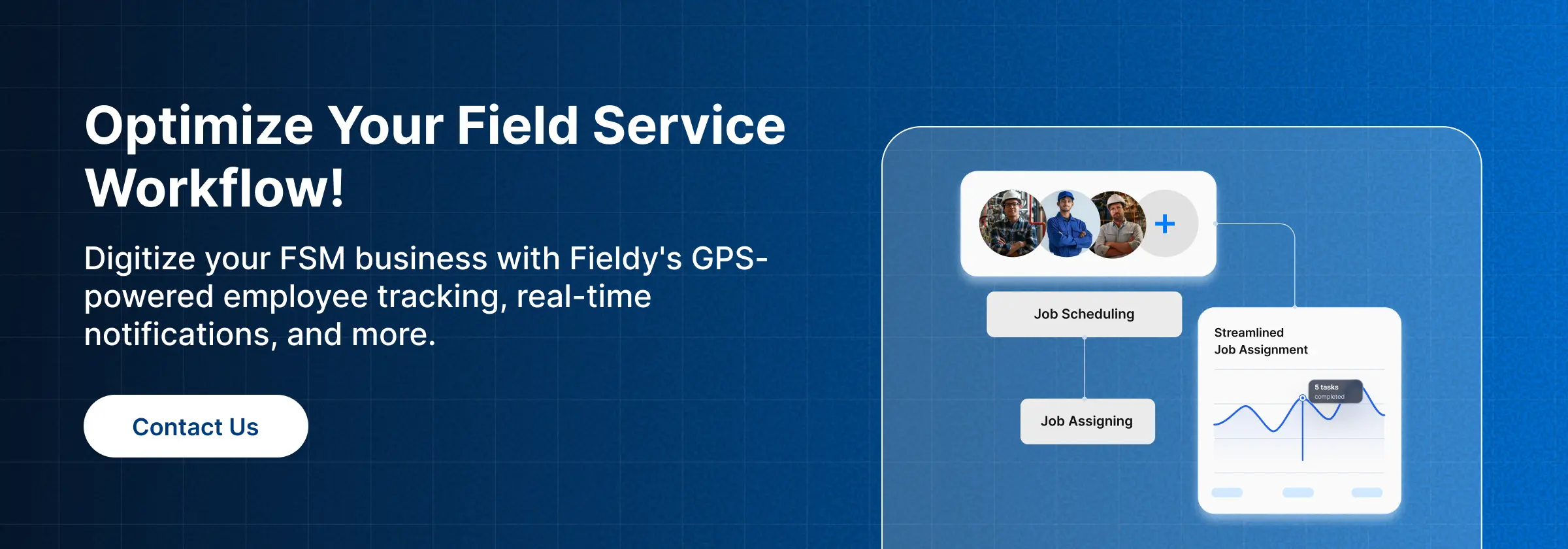
Fieldy is a smart field-service management software that has built-in customer relationship management features. It’s perfect for service companies that require effective integration between lead management, quotations, job scheduling, dispatching, invoicing, and maintenance agreement management.
Instead of a CRM built for centrally based sales teams, Fieldy brings a very different focus, linking customer management with the delivery of operational service. The Fieldy CRM offers customer records, sales pipeline, follow-up planning, service histories, payment records, document uploads, and reminders about maintenance contracts.
By combining their operations, service businesses can decrease the number of different systems employees are required to operate. Office staff can manage customer enquiries and quotations, with operations scheduling the jobs and managing technicians. The customer details must be accessible through each phase of the service process, from the initial enquiry to completed work, through to future maintenance.
Any field service software clients want to purchase should enable them to determine if they can arrange customer management, dispatch, scheduling, and invoicing as part of an interconnected process. This mostly applies when it comes to having to attend to a client multiple times and the need to service specific clientele.
A properly maintained field CRM enables businesses to monitor service requests, customer interactions, past jobs, and follow-up actions. Having information centralized allows staff to review a customer’s history before discussing a new quote or scheduling another appointment.
For companies that require customer information tied to daily operations, field service CRM software is worth a look. Fieldy’s official documentation details CRM capabilities as well as scheduling, dispatch, lead capture, online payment processing, and technician tracking. Companies with more sophisticated enterprise demands should ensure there are robust permissions, integrations, reporting, and multiple site management options available.
Pros and Cons of Fieldy
| 👍 Pros | 👎 Cons |
|---|---|
| Connects customer management with field-service workflows | Enterprise-specific capabilities should be confirmed with the vendor |
| Supports customer profiles, lead tracking, and follow-ups | May not replace a full enterprise sales and marketing suite |
| Relevant to scheduling, dispatch, and service delivery | Integration requirements depend on the existing technology stack |
| Useful for maintenance and recurring service operations | Suitability depends on organization size and workflow complexity |
Best for: Field-service businesses that want customer management connected with job delivery and service operations.
2. Salesforce
Salesforce is an enterprise CRM platform that supports sales, marketing, and customer service to automate business processes. The cloud-based application and platform ecosystem enables users to record accounts, leads, opportunities, customer engagement, and sales.
The main advantage is the flexibility. Organizations with a complex sales process can configure workflows, create custom data structures, define approval processes, and link customer data with other applications. Reports and analytics can allow managers to track pipeline health, sales activity, and customer-related metrics.
Salesforce is most pertinent for organizations that have multiple business units, a large sales team, intricate account hierarchies, or require sophisticated reports. It also has a wider ecosystem, offering additional capabilities to extend the platform.
All this flexibility has a cost, though. Organizations could require specialist administrators, implementation partners, data migration help, and longer-term governance to maintain the integrity of the CRM. Additional features and products can also contribute to an increase in total cost of ownership.
Pros and Cons of Salesforce
| 👍 Pros | 👎 Cons |
|---|---|
| Extensive customization options | Implementation can be complex |
| Broad application and integration ecosystem | Advanced configurations may require specialists |
| Supports sophisticated sales and service workflows | Costs can increase with additional products and users |
| Suitable for complex organizational structures | Requires ongoing administration and governance |
Best for: Large enterprises with complex customer journeys, custom workflows, and substantial integration requirements.
3. Microsoft Dynamics 365
Microsoft Dynamics 365 is a suite of business applications including sales, customer service, finance, and operations, and other business functions. Microsoft’s CRM-related products are designed to help organizations manage their customer relationships and link sales data to other parts of the business.
If you’re already using Microsoft 365 Outlook, Teams, Power BI, and Power Platform, then this ecosystem may be very relevant to you. Based on which product(s) and the way it is set up, teams can link customer records to communication, automate processes, and measure sales or service activity.
For example, sales reps can manage customer relationships in parallel with their existing productivity solutions, and managers can use reporting dashboards to monitor pipeline metrics. You can also connect customer and operational data to other Microsoft Dynamics 365 applications.
The most important factor is the difficulty in deployment. Dynamics 365 is not one software that encompasses all features, but a suite of products. Companies must decide which products they want and whether they need to buy several, how licensing will function, and if they can include the new system alongside their current software.
Pros and Cons of Microsoft Dynamics 365
| 👍 Pros | 👎 Cons |
|---|---|
| Strong integration with Microsoft business applications | Product selection can be complicated |
| Supports sales and customer service workflows | Configuration may require technical expertise |
| Reporting and automation options | Costs depend on products, licenses, and implementation |
| Suitable for organizations using Microsoft’s ecosystem | Integration planning is essential |
Best for: Enterprises that already rely on Microsoft applications and want connected customer management across departments.
4. HubSpot CRM
Built for business, not just sales, the customer and business data in HubSpot CRM is brought into a connected platform. The wider ecosystem of sales, marketing, customer service, content, and automation tools makes it applicable to any organization seeking tighter integrations around customer acquisition and retention.
This includes contacts and company records, deal pipelines, activity tracking, email automations, and reporting. For some products and subscriptions, you’ll also get access to more advanced automation, customization, and governance features.
A company with a marketing and sales team that both want to use the same customer data can turn to HubSpot. Let your marketing department monitor prospect activity while the sales team focuses on getting opportunities and next steps. That way, the link between customer interaction and the pipeline can be easier to follow.
Yet, businesses should consider if its current pricing plans provide the permissions, reporting, custom objects, automation, and organization controls they need. They should also consider the costs connected to buying more hubs, users, and more advanced features.
Pros and Cons of HubSpot CRM
| 👍 Pros | 👎 Cons |
|---|---|
| Connects customer records with marketing and sales activities | Advanced features may require higher-tier plans |
| Accessible interface for many users | Costs can increase as requirements expand |
| Supports pipeline visibility and automation | Complex governance requirements need careful evaluation |
| Broad ecosystem of business applications | Product and plan selection can be confusing |
Best for: Enterprises seeking closer alignment between marketing, sales, and customer service.
5. Zoho CRM
It has sales automation, contact management, workflow rules, analytics, and customization facilities. It is a good choice for organizations looking to simplify customer relationship management while linking CRM functions to other business applications.
Its features encompass lead and deal management, sales pipelines, workflows, and reporting. The more expensive versions give you further management and automation features. The integration with other tools in the Zoho suite of products can be important for organizations looking for connected tools for finance, teamwork, and the running of the business.
For organizations, Zoho CRM is best evaluated for the complexity of the organization’s sales processes. Companies with multiple teams or locations should look at user permissions, reporting needs, approval flows, and ease of standardizing processes across locations.
Even though config options can offer great flexibility, they still require an additional implementation effort. A badly designed workflow could result in duplicate records, confusing automation, and inconsistent reporting.
Pros and Cons of Zoho CRM
| 👍 Pros | 👎 Cons |
|---|---|
| Flexible sales automation and configuration | Complex deployments may require additional setup |
| Broad range of CRM capabilities | Feature availability varies by edition |
| Integration options across the Zoho ecosystem | Advanced requirements need careful assessment |
| Can support structured sales workflows | Administrators must maintain data quality and processes |
Best for: Businesses looking for configurable CRM functionality and opportunities to connect customer management with other business applications.
6. SAP Sales Cloud
SAP Sales Cloud gives the necessary tools to support enterprise sales processes like customer engagement, account management, pipeline management, forecasting, and sales analytics. It applies to organizations that use SAP already and want the customer-facing processes to connect to the wider enterprise.
Besides sales automation, SAP has AI-enabled sales tools that can assist sales teams in scoring opportunities, prioritizing leads, and gaining insights into their pipeline. SAP also mentions guided selling, forecasting, and analytics as aspects of its sales platform.
The potential for large organizations is that, if there’s a business-wide context, customer-facing colleagues will see greater access to appropriate account and operational data (varying by implementation).
The more complex SAP Sales Cloud deployment (almost of course) will need more detailed planning. Consider licensing, architectural integration, data migration, support during implementation, and ongoing administration. If a business’s sales processes are relatively simple, a less complex platform may be easier to support.
Pros and Cons of SAP Sales Cloud
| 👍 Pros | 👎 Cons |
|---|---|
| Aligns with the wider SAP business ecosystem | Implementation may require specialist support |
| Supports enterprise sales automation and forecasting | Configuration can be complex |
| Provides analytics and guided selling capabilities | May be excessive for simpler CRM requirements |
| Relevant to structured enterprise sales processes | Integration planning is essential |
Best for: Large organizations that use SAP applications and need CRM aligned with enterprise business processes.
7. Oracle Sales
Oracle Sales, including all its sales functionality as defined within Oracle’s complete cloud application suite, enables customer account management, sales automation, opportunity management, forecasting, and analytics.
The information is suitable for organizations that require sales processes integrated with Oracle business applications in scope. Organizations can see how customer data, revenue processes, and other business information can be shared within their technology environment, for selected products.
Big organizations can gain from a standard sales process, aggregated reporting and the capability to support complex account hierarchy structures. This platform can be a good candidate for assessment where existing Oracle investments are integral to the organization.
Businesses should determine the specific Oracle product and edition being considered. Oracle applications vary in naming, features, and integration capabilities. The selection process should account for implementation requirements, data governance, and the need for specialist administration.
Pros and Cons of Oracle Sales
| 👍 Pros | 👎 Cons |
|---|---|
| Relevant to enterprises using Oracle applications | Product selection requires careful clarification |
| Supports sales management and forecasting | Implementation can involve substantial planning |
| Suitable for complex account and opportunity structures | Integration requirements vary by environment |
| Can support wider enterprise processes | Specialist administration may be necessary |

Best for: Enterprises that want sales management connected with an existing Oracle technology environment.
8. Pipedrive
Pipedrive is a sales CRM focused on pipeline visibility, deal management, activity tracking, and sales follow-ups. Its visual interface enables sales representatives to see the status of opportunities and identify which actions are required next.
The software enables teams to globally define deal stages, document customer communication, set up activities and track them, as well as track team progress versus sales goals. Automated reporting and workflows can also eliminate manual admin, based on the plan and configuration.
But for an enterprise, the question to ask is whether Pipedrive can cater to the organization’s overall governance needs and other functions. A sales team with a transparent pipeline can find it useful, but a large organization may have more sophisticated account hierarchies, multi-level approvals, and cross-department reporting; those need to be checked thoroughly.
Businesses need to consider if Pipedrive can be integrated with their current accounting, customer service, ERP, and field-service applications.
Pros and Cons of Pipedrive
| 👍 Pros | 👎 Cons |
|---|---|
| Clear visual sales pipeline | May not meet every complex enterprise requirement |
| Straightforward activity and deal management | Broader workflows may require integrations |
| Useful for managing follow-ups | Governance and permission requirements need checking |
| Can help standardize sales processes | Suitability depends on team structure and plan |
Best for: Sales-led organizations that prioritise pipeline visibility and practical deal management.
9. Freshsales
Freshsales, from Freshworks, offers a CRM solution that brings in contact management, lead scoring, sales engagement, automation, and reporting. Consider this option for your business if you need to consolidate customer data and give your sales team greater visibility into your sales pipeline.
Features may include sales pipelines, tracking of activities, communication tools, automation of workflows, and customer insights, based on the subscription and setup. A wider Freshworks ecosystem may be of interest to companies seeking to tie together sales and customer support.
Freshsales is helpful if your sales team needs a lead and opportunity management process without a complex enterprise solution. Larger businesses should make the decision based on specific administration, permissions, integration, reporting, and data governance needs.
Before implementation, companies should verify that they are using the edition of the platform that supports the features they are seeking and that it can be integrated into their current environment without over-complicating their ecosystem.
Pros and Cons of Freshsales
| 👍 Pros | 👎 Cons |
|---|---|
| Centralizes customer information and sales activities | Enterprise capabilities vary by plan |
| Offers sales automation and engagement tools | Complex integrations may need configuration |
| Supports lead and pipeline management | Governance requirements should be tested |
| Can connect with other Freshworks products | May require additional applications for wider workflows |
Best for: Sales teams that want centralized customer records, lead management, and practical sales automation.
10. SugarCRM
SugarCRM, now branded within the SugarAI product family, is centered on customer relationship management, sales processes, account management and configurable workflows. For some organizations, this can be an attractive option if there is a requirement to tailor CRM processes to a specific business context.
Through a product and application, organizations can evaluate their ability to handle prospect and customer data, opportunities, sales, activities, and reporting. Customization can enable organizations to model processes and workflows that might otherwise be difficult to visualize in a sales pipeline.
Although this versatility could prove helpful if an organization has more specialized customer journeys or well-established sales workflows in place, organizations should consider what level of configuration they will require and if their internal staff have the expertise to support it.
Assessments should take into account integrations, data migration, end user experience, vendor support and the time investment that will be required going ahead to keep the processes aligned.
Pros and Cons of SugarCRM
| 👍 Pros | 👎 Cons |
|---|---|
| Offers configurable CRM workflows | Customization may require technical resources |
| Supports structured customer and sales management | Implementation effort depends on requirements |
| Can accommodate specialized processes | Integrations need careful evaluation |
| Relevant to businesses seeking adaptable CRM workflows | Long-term administration must be considered |
Best for: Organizations that need configurable customer management processes and are prepared to assess the associated implementation requirements.
Enterprise CRM Software Comparison Table
Below is a high-level comparison of all 10 platforms. This list is meant to assist companies in sifting their shortlist down, not to suggest that any one platform is right for all businesses.
| 📌 Platform | 🎯 Best for | ⚙️ Sales automation | 🤝 Customer service workflows | 🛠️ Customization | 🔗 Integration ecosystem | 🚀 Field-service suitability |
|---|---|---|---|---|---|---|
| Fieldy | Field-service and operational workflows | Verify current features | Verify current features | Verify current capabilities | Verify current integrations | Strong relevance to field operations; assess requirements |
| Salesforce | Complex enterprise CRM | Extensive capabilities | Available through relevant products | Extensive | Broad ecosystem | May require suitable integrations |
| Microsoft Dynamics 365 | Microsoft-centered enterprises | Available | Available through relevant products | Extensive | Microsoft ecosystem | Depends on products and configuration |
| HubSpot CRM | Marketing and sales alignment | Available; plan-dependent | Available through relevant products | Varies by plan | Broad ecosystem | Check operational requirements |
| Zoho CRM | Flexible sales automation | Available | Varies by product | Flexible | Zoho and third-party apps | Check field-service needs |
| SAP Sales Cloud | SAP-based enterprises | Available | Verify selected products | Enterprise configuration | SAP ecosystem | Depends on connected systems |
| Oracle Sales | Enterprise sales operations | Available | Verify selected products | Enterprise configuration | Oracle ecosystem | Depends on connected systems |
| Pipedrive | Pipeline management | Available | Check selected products | Varies by plan | Third-party integrations | May require additional tools |
| Freshsales | Sales engagement | Available | Varies by product | Varies by plan | Freshworks and third-party apps | Check operational requirements |
| SugarCRM | Configurable CRM processes | Available | Verify selected products | Configurable | Third-party integrations | Depends on configuration |
Before choosing, organizations should understand the difference between ERP and CRM. Is the ERP used, the best ERP software Australia for an organization that has a need for the management of finances procurement inventory and other business-wide processes? CRM and ERP can work well together but serve very different primary functions.
Based on how client projects are coordinated by a business, there could be requirements for a tool to set up deadlines, dependencies, resources, and delivery milestones. Looking at the best project management software in Australia can help sort out whether project management should happen inside the CRM or via an integration.
Other considerations include billing. For customers looking to link customer data to invoices, quotations, and payments, they should compare the best invoicing software in Australia with CRM features. By integrating these tools, businesses can eliminate the duplication of data entry, making it easier for teams to manage accurate information on transactions and customers.
Essential Features to Look for in Enterprise CRM Software
Not all businesses require every feature of a CRM system. The features you choose should be informed by your business processes, team setup, customer demands, and current technology. Make a note of these features before you sign up.
1. Contact and Account Management
A CRM must give a single view of customers, organizations, contacts, communication history, and sales opportunities. If the company operates on a multi-region basis, then a customer relationship management system may also require parent-child account structures, account ownership policies, and duplicate record handling.
When customers’ data isn’t clean, reporting can be difficult. When employees are using various account records, teams can find it difficult to comprehend the overall account relationship or who should follow up.
2. Sales Pipeline Automation
Pipeline management enables your team to formalize how it moves leads through qualifying, submitting proposals, negotiating, and closing. Automated triggers such as follow-up reminders, lead assignments, and alerts for management ensure that sales processes are consistent.
Check that stages and rules are flexible and can be customized without adding too many layers. And sales leaders should verify that reports on the pipeline show the organization’s true sales process.
3. Workflow Automation
Automate low-value administrative work within sales, service, and operations. Set your lead to automatically create a follow-up task, notify the team, and update a record when you set certain criteria.
Document your intended process and test exceptions before rollout of automation. Automation gone wrong can generate duplicate tasks, conflicting updates, or confusing customer communications.
4. Reporting and Analytics
For managers to monitor the health of their pipeline, data should be accurate, and reporting should show metrics like conversion and retention rates, and employee activity. CRM reporting can then offer necessary exports, dashboards, and filters, with access limited where needed.
Organizations should determine if reporting can aggregate data across teams and if any supplemental analytics, products, or integrations are required.
5. Integration Capabilities
CRM data is generally most valuable when integrated with finance, ERP, project management, customer support, and field service applications. Explore the APIs, native integrations, data synchronization rules, and current ongoing costs of maintaining integrations.
Other construction companies may require customer details related to planning and project execution. An assessment of the best construction management software in Australia can assist you in determining where the CRM should fit into the construction process, rather than assuming that a CRM alone can do everything.
Yet, construction companies may require to connect customer possibilities with estimates as well as propositions. Comparing the very best construction estimating software in Australia can reveal just how estimates are created, accepted, and also passed right into downstream systems.
In addition, small business units might not have complex customer billing requirements. Considering the best invoicing software for small business in Australia can support teams requiring business invoicing and payment tracking with minimal finance requirements.
6. Role-Based Access and Governance
A typical CRM can hold sensitive customer, business, and financial data. Role-based access controls can help make sure staff access and update only the information they need to do their jobs.
Check the permissions and audit trail, authentication methods, data storage and retention, and management controls. Also review the security documentation for the provider, including how the platform fits with your organization’s legal and internal policies.
7. Customer Service Management
Sales is just one aspect of the relationship. Customer service teams will be dealing with requests, complaints, warranty issues, renewal requests, and keeping in touch with the customer.
A connected view of customer history can help teams to act consistently. Check whether a CRM comes with the needed service features or whether you require additional customer support software.
8. Scalability
Is the platform scalable? Will it support new users, departments, locations, and workflows without a total system overhaul? Ask about how it supports additional data volume, new business units, changing approval paths, and international expansion (if applicable).
Scalability includes administration. Even if a system can support more users technically, it can still grow into a burden if every change takes custom development.
9. Mobile Access
Sales reps, account managers, field technicians, and others in the region may require customer info while out of the office. Look at the mobile experience, offline functionality if necessary, alerts, and the ability to update records securely.
Operator visibility is also essential for field-based vehicle teams – which you might not get with an average CRM. Find out how the best fleet management software in Australia can include solutions for controlling vehicles, trips, and associated operations. Consider implementing a fleet platform when these are requirements & not just another CRM feature.
10. Data Migration and Onboarding
Implementation is not only the technical setup. It is cleaning customer data, mapping fields, configuring permissions, conducting staff training, and validating data post-migration.
Give ownership of the project to the business, set measurable targets, and roll out the system in small, achievable steps. Pilot the implementation on a small set of representative users so that workflow issues can be uncovered before full rollout.
Enterprise CRM Use Cases Across Industries
Different CRM solutions cater to different aspects of how a company wins customers, serves them, and sustains relationships. Outlining the key use cases can stop your enterprise from purchasing a platform because it has the features.
Construction
A construction company could use CRM to organize potential work, keep track of customer data, manage sales pipelines, log communications, and capture proposals. Integration with other systems might enable sales teams to pass approved projects to delivery and project teams.
Yet, construction projects involve estimating, scheduling, contracts, and cost control. Those functions may need applications with specific expertise that could be connected to the CRM.
Field Services
For field-service companies, it’s important to keep customers when talking about the ongoing service delivery. A common flow might be like enquiry, quotation, appointment, technician dispatch, work done, invoice, and follow-up.
The most appropriate answer relies upon the degree of synergy required among the activities. A traditional CRM would be suitable for managing the customer relationship, with separate systems to manage scheduling and dispatch.
Property Management
Property businesses can consist of landlords, tenant owners, suppliers, or maintenance contractors. Customer communication and service requests may be hard to monitor when the details are registered in individual applications.
Businesses evaluating the best property management software in Australia should distinguish CRM capabilities from specialist property functions such as lease administration, rent collection, and tenancy records. Integration may be preferable to forcing every activity into a single application.
Pest Control and Maintenance
For pest-control companies, there can be recurring customers, treatment schedules, service reminders, and visits. CRM can provide a customer history and follow-up; field-service solutions can handle appointments and track technicians.
The quality of the software being used should be checked when using pest control software in Australia; businesses need the integration of customers’ information, scheduled jobs, service records, and billing. It should be checked if the platform meets the reporting and documentation needs of the business.
Trade Contractors
Trade companies require a trustworthy way to convert enquiries into work. The CRM can be used to track prospects, customer interaction, quoting, and follow-up, with job-management software taking care of the delivery.
For contractors, the most valuable technology stack is the one that reduces duplication and gives both the office and field staff the same information.
Enterprise Operations
Larger organizations might require a CRM connected with procurement, inventory, finance, customer support, and analytics. These integrations can help teams share information and reduce silos between departments.
But integration needs to be underpinned by ownership of the data. A business needs to identify which system is the master when it comes to customer data, pricing, invoices, stock, etc.
How Enterprise CRM Connects with Field Teams and Business Operations
Don’t just focus on sales; customer relationships aren’t only found in sales. For many companies, a customer’s experience hinges on their interactions with sales, service, operations, and finance.
Suppose a customer contacts you about the need for a maintenance service. Sales or customer service generates the enquiry, an estimate is generated, an appointment is made, and the technician carries out the job. The office needs the job details to create an invoice and to make arrangements for follow-up.
When tasks are split between disparate systems that aren’t well integrated, you may have employees entering the same information again and again. It’s easy for some details to be missed, conversations to be delayed, and records to be unreliable. A connected CRM and field-service process can help close these gaps if your systems are passing data properly.
It also takes a defined process and training of staff. For those exploring how to improve employee productivity in field service, they should ask: can the technician simply log into the job, change the status when they have finished, record which parts were used, and send information back to the office?
Measure customer experience rather than assume it. If your organization is looking at “how to measure digital customer experience”, you could consider response times, feedback, consistency of communication, and how easily customers can request services or updates.
If service organizations use spare parts inventory data, it is another key link. A field service parts inventory management tool can help organizations track stock levels and consumption, while CRM offers the customer background of the activity being undertaken. The system integration should maintain consistent job and material information.
The type of purchasing also impacts the service you deliver. Knowing how to manage purchase orders will allow an organization to control who has authority to approve orders, maintain a record of suppliers, and control any purchasing requests for the items needed to complete a customer’s work.
A business might also have to ‘normalize’ its service catalogue to ensure that customer-facing teams provide a standard description of services. A sample handyman services list could demonstrate how various service categories might be organized to handle customer queries, quotations, and job allocations. The actual catalogue would need to be based on the company’s actual services and needs.
Don’t assume the success of another business will translate to your own when looking at implementation outcomes. Use credible evidence when writing a case study about Thushhaara Technical Services LLC; only a credible and relevant source can be cited, and the case study clearly shows the CRM or operational outcome that is being written about.
How to Choose the Best CRM Software in Australia for Enterprise
Choosing an enterprise CRM software is a decision made in partnership with your business leaders, IT department, sales operations, finance team, and team members who will be using the software. A formal evaluation process can help balance out the decision.
1. Define Business Requirements
Begin by listing out the processes you want your CRM to automate. These could be lead management, sales forecasting, account management, customer service reporting, field service, and renewal management, for example.
Clearly differentiate must-have features from nice-to-have features. This simplifies demoing and avoids purchasing a feature-rich platform that addresses issues not being encountered by the organization.
2. Assess Scalability
Discuss how the system will accommodate future users, team divisions, and locations. Ask about changing permissions, reporting, data structures, and automation to grow the organization.
3. Review Integrations
Identify the current systems that must share data with the CRM. Check which native integrations, APIs, and third-party connectors are available, and note any limitations.
Don’t assume an integration will bring all fields across or that it will do it in real time. Trial the actual movements that are required by the business.
4. Evaluate Security and Governance
Review access controls, authentication, audit logging, storage, and retention of data, and vendor security documents. Does the platform provide the ability to satisfy internal governance requirements and the legal duties the organization may face?
5. Calculate Total Cost of Ownership
The subscription fee is only one part of the total cost. Include implementation, migration, training, integrations, support, administration, and any additional products needed to meet the requirements.
Request vendors to describe what occurs to prices as the organization buys users, automation, storage, reporting, or modules.
6. Test Usability
For product demos, have team members from sales, service, operations, and management participate in the product demos. Present them with real-world tasks, and see how quickly they can accomplish them.
A system that fulfills all technical specifications but is hard to work with can bring low usage and poor-quality data.
7. Plan Implementation
Select a project owner, tidy your data, establish reporting practices, and determine your success metrics. You might want to consider a phased rollout so the business can work out the kinks before going full-on with a company-wide CRM.
Looking for a wider variety of platforms and use cases? Check out the best CRM software in Australia for other potential choices that you can initially narrow down to. In addition, enterprise customers should evaluate the platforms on their own business processes and not solely on the reviews.
If your CRM implementation plan includes a field-service team, workforce expenses may also impact the plan. HVAC enterprises reviewing staffing and operating budgets can check the HVAC technician salary in Australia to calculate the labor costs and potential value of better scheduling and customer management.
In the same way, contractors researching Australia plumbing salary may use salary information as one input when assessing workforce budgets. While CRM software does not directly affect wages, increased transparency and fewer administrative delays may support more effective resource planning.
Electrician salary in Australia can assist electrical contractors in setting staffing budgets as well as in defining operational costs. Any anticipated productivity benefit must be calculated from the organization’s existing baseline data and not just from implementation of new software.
Where there is a broader business goal to build the electrical workforce, knowing how to become an electrician in Australia could inform those responsible for business planning of the potential options for training and qualification pathways. This could be a workforce planning consideration rather than a core CRM capability.
Final Verdict
The top enterprise CRM solution will vary given organizational size, technology architecture, and customer workflows. Salesforce, with its extensive customisation capabilities and ecosystem, is well worth considering, while Microsoft Dynamics 365 could be a good fit for companies heavily invested in Microsoft applications. HubSpot could be attractive for organizations after tighter integration between marketing and sales, while Zoho CRM caters to those wanting highly configurable software. SAP Sales Cloud and Oracle Sales may be the choice for companies requiring a CRM solution integrated with other enterprise systems.
Pipedrive, Freshsales, and SugarCRM can also be used to track your sales pipeline, connect with customers, and customize workflows, but large organization adoption will depend on your governance needs, integrations, reporting, and management.
Best for organizations that are looking for their customer-management needs to be most of all aligned with their delivery of field service. The ability of Fieldy to support this within its enterprise offering is proven through several functions: customer profiles, lead handling, follow-up, history of services, scheduling, dispatch, and invoicing workflows. Organizations should check the available enterprise features, integrations, and suitability for their size.
The bottom line is that the optimal method is to narrow down the options based on real-world workflows, examine the key use cases, and assess total cost of ownership. Select the CRM that guides employees to access reliable customer data, enables outcomes-based measurement, and scales with the business.
Explore the shortlisted platforms through product demos and confirm that each one can support your business processes before committing to a long-term implementation.